What you'll see.
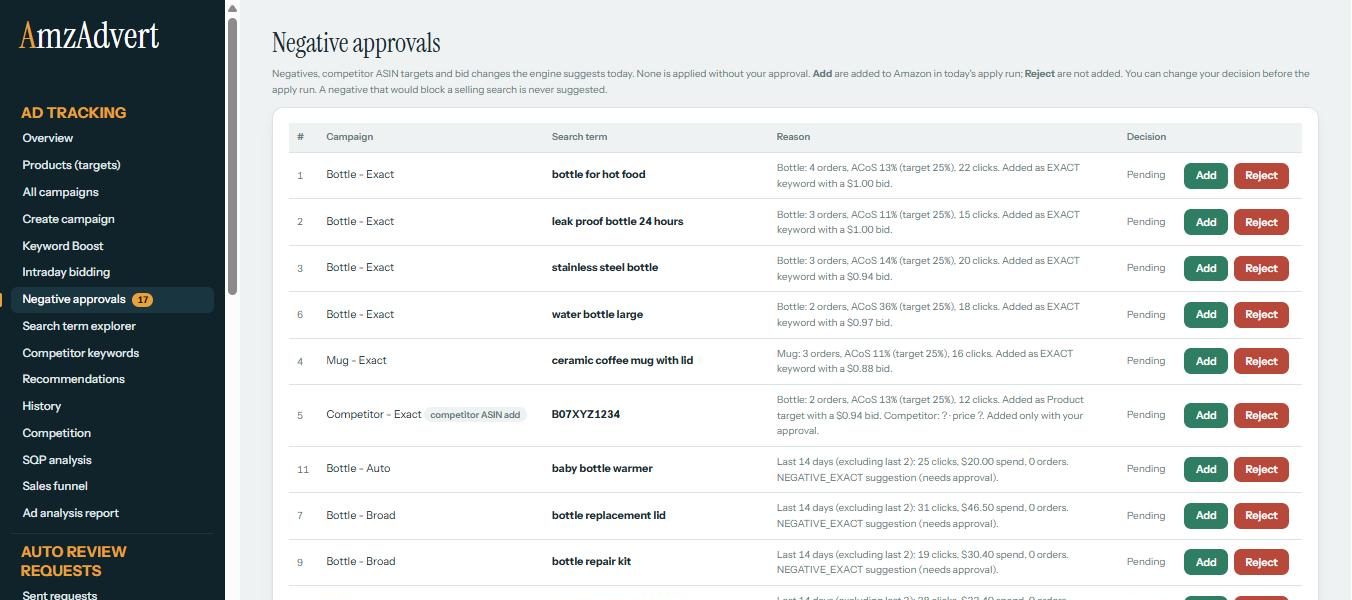
Real screens from the AmzAdvert panel, filled with a demo store's data. The panel works in English, Spanish and Turkish.
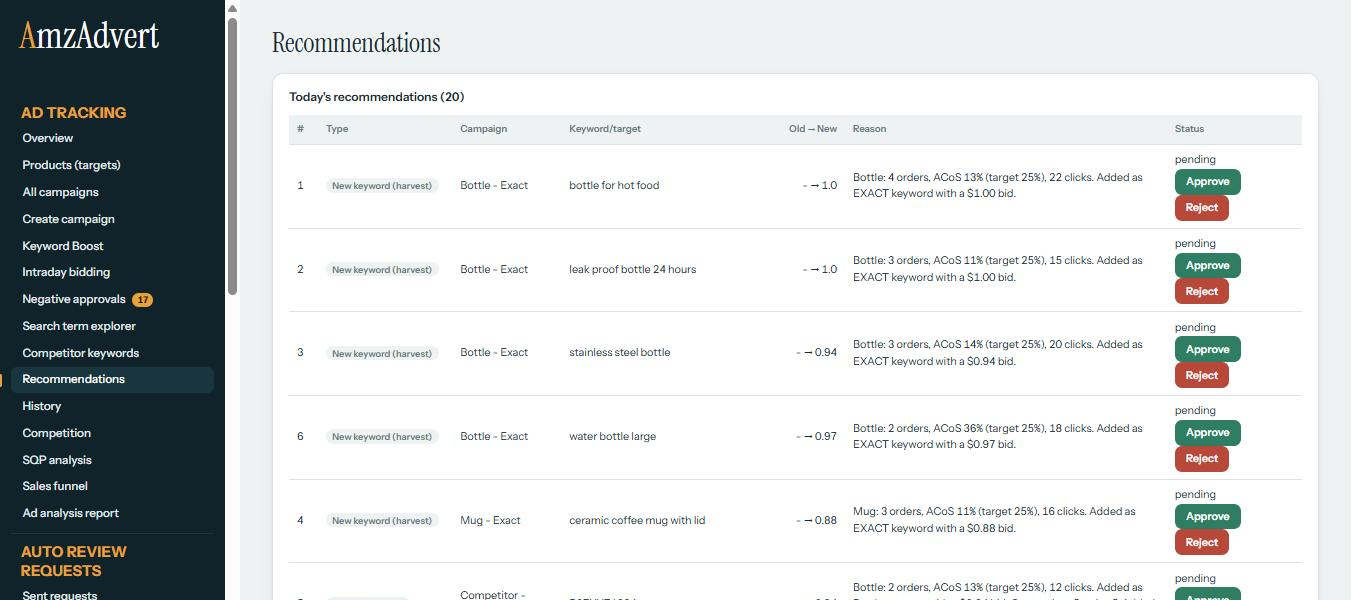
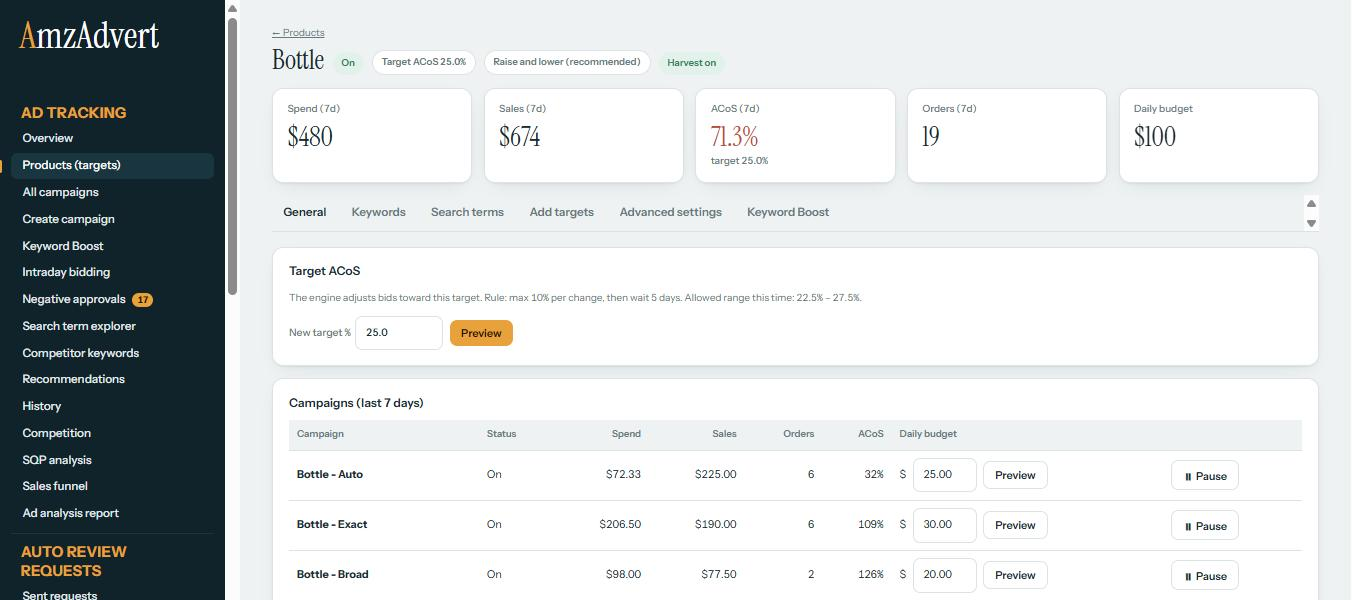
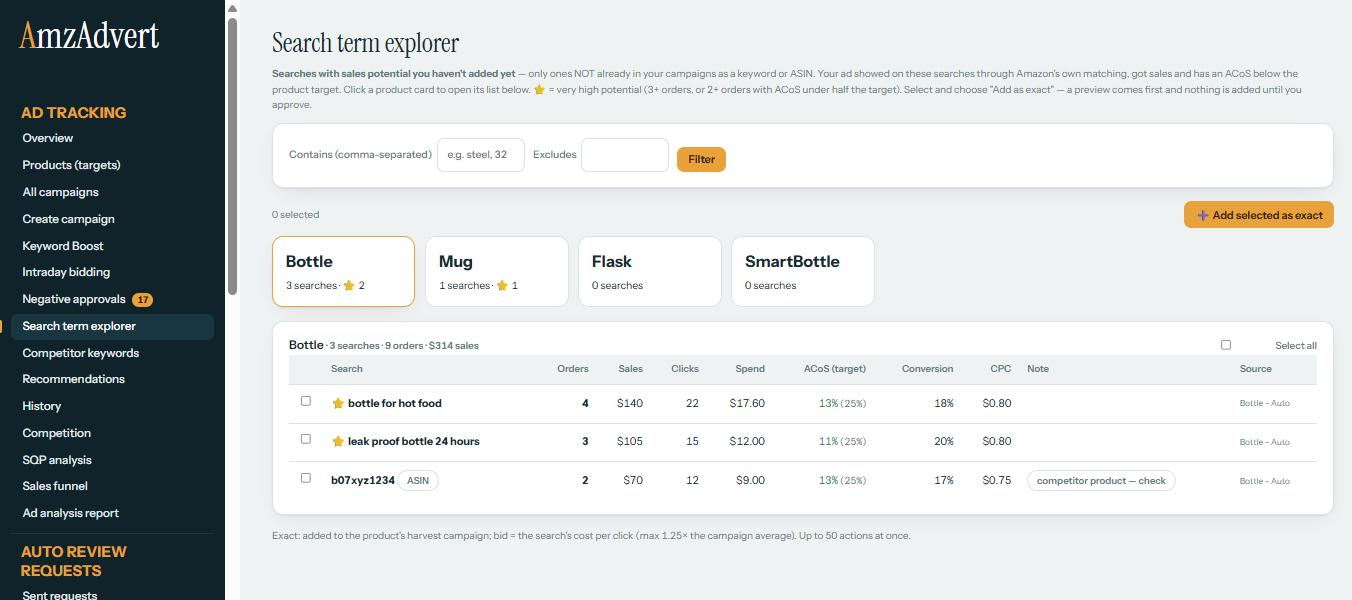
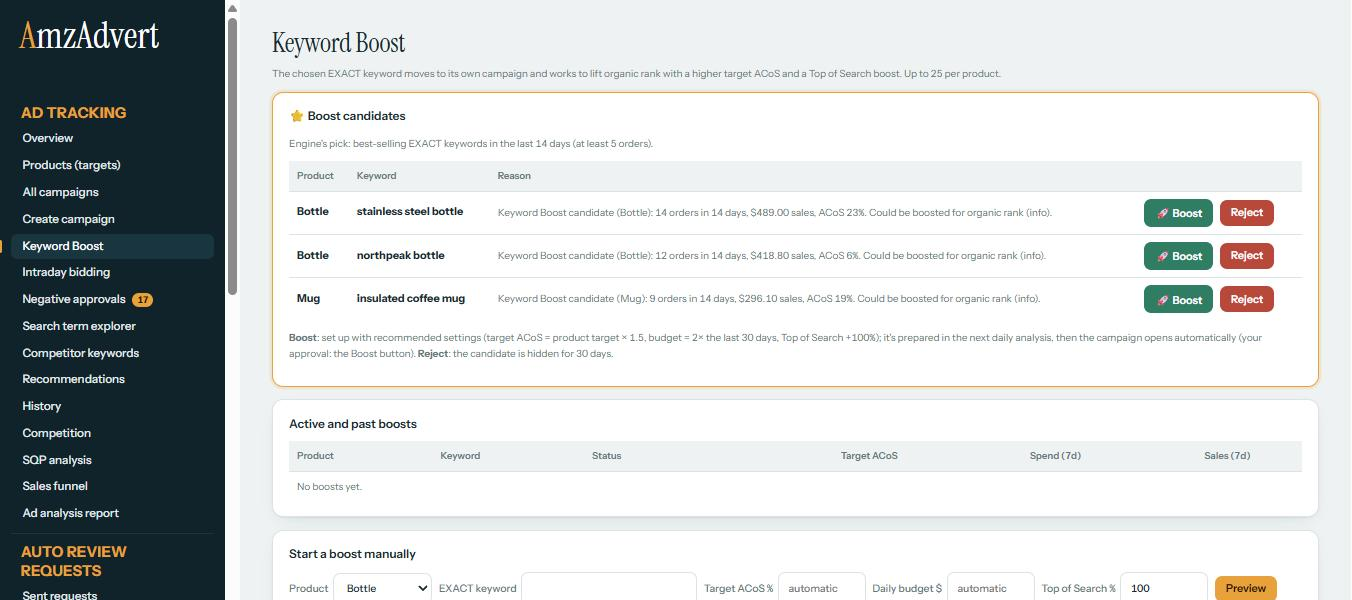
AmzAdvert reviews your Sponsored Products, Sponsored Brands and Display campaigns every day and tells you, keyword by keyword, which bids to raise, which to cut and which search terms are wasting money. You approve. We apply it and check it on Amazon.
No credit card for the trial · Full Package $99/month after · Cancel anytime
Authorize on Amazon's own consent screen. We never see your password, and you can disconnect anytime.
Pick a target per product based on your margin. AmzAdvert groups your campaigns by advertised ASIN to start.
Each morning you get a short list with the reason for every change. Approve or reject; approved changes go live within minutes and are verified.
Not one rule for the whole account. Every target is judged by its own clicks, orders and ACoS over the last 14 days, leaving out the two most recent days while Amazon finishes attributing sales.
Raise winners, trim over-target keywords, revive targets that stopped getting impressions. At most ±10% per step, with cool-down days so Amazon can react.
Keywords with 10+ orders in 10 days at ACoS under 20% are protected and never lowered.
Search terms that spend without selling are suggested as negatives. A term that has sold for that product in your recent data is never suggested.
Move your best exact keyword into its own campaign with its own budget and top-of-search push to climb organic rank. One click to start, one to stop.
Every search term across the account in one table. Move converters to exact match or block wasters in bulk, with a preview first.
See campaigns running out of budget and how top of search compares to product pages, with suggested changes.
Day-by-day spend, sales and ACoS, plus a log of every change made through AmzAdvert, with one-click undo.
Connect AmzAdvert to Claude and ask "which keywords waste money?" or "raise the budget on my best campaign". Claude reads your campaigns, keywords and search terms and prepares fixes; nothing changes until you confirm.
Get a push when new recommendations are ready, when your approvals are applied, or if something needs a look.
Real screens from the AmzAdvert panel, filled with a demo store's data. The panel works in English, Spanish and Turkish.
Autopilot tools change bids while you sleep. Spreadsheets eat your mornings. AmzAdvert does the analysis and leaves the decision with you.
| By hand | Autopilot tools | AmzAdvert | |
|---|---|---|---|
| Daily keyword-level analysis | Hours of exports | Yes | Yes |
| You approve every change | Yes | No | Yes |
| Reason shown for each change | Your own notes | Rarely | Always, with the numbers |
| Negatives that can't block sales | Easy to miss | Rule-dependent | Checked against every selling search |
| Best sellers protected from cuts | If you remember | Varies | Automatic |
| Undo | Manual | Varies | One click from History |
| Time per day | 1–2 hours | Minutes, plus surprises | About 5 minutes |
AmzAdvert connects through Amazon's official Advertising API and only works on ads.
You authorize on Amazon's consent screen. Your Amazon password never reaches us, and you can revoke access at any time.
Each login needs a password and an authenticator code. Repeated failures lock sign-in, and sessions expire.
Amazon tokens are stored encrypted. Each customer's data lives in its own space and is never mixed with another account.
AmzAdvert only works on advertising. Titles, images, prices and inventory are never changed.
Each approval, change and sign-in is logged with who did it and when, and any change can be undone from History.
Remove your account and all data yourself from the panel. It is erased immediately and leaves backups within 14 days.
Your trial starts the day you set up your account. Every feature is on.
We'll email you 3 days before it ends. If you don't subscribe, your account simply becomes read-only. Nothing in your ads is touched.
Billed monthly, cancel anytime. If you cancel within 7 days of your first payment, we refund it in full.
No. Bids, budgets and negatives change only after you approve them in the panel. The only things that run without a daily approval are the ones you start yourself, like a Keyword Boost.
Amazon.com (US) today. Sponsored Products, Sponsored Brands (including video) and Sponsored Display.
English, Spanish and Turkish. Switch any time with the EN / ES / TR buttons; your choice is remembered.
Never. AmzAdvert works on advertising only. Titles, images, prices and inventory stay exactly as you set them.
The analysis runs once a day. Your first recommendations arrive the day after you connect your Amazon Ads account.
10 days with every feature, no credit card. When it ends, the account turns read-only until you subscribe. Your data stays, and nothing in Amazon changes.
Every user signs in with a password and a two-factor code. Amazon access tokens are encrypted, each customer's data is kept separate, and you can delete your account and all data at any time. See our Privacy Policy.
Yes. In Claude, add a custom connector with the address https://app.amzadvert.com/mcp and sign in with your AmzAdvert account. Claude can then read your campaigns, keywords, search terms, placements and reports, and prepare fixes such as bid, budget, keyword, negative and placement changes. Every fix is previewed and only applied after you confirm, with the same safety rules as the panel. You can remove the connection anytime from the panel.
Yes. Add colleagues as admins or as view-only users. Each person has their own login.
Anytime, from the panel or by emailing [email protected]. Cancellation takes effect at the end of the billing period.